
How To Set Up XTrade Suite

Step-by-step guide to set up your XTrade account, connect TradingView, and start using XTrade indicators and trading signals.
 

How To Set Up XTrade Suite

This guide will walk you through the steps required to set up XTrade Suite and start using our TradingView indicators and trading signals.

The setup process is simple and usually takes only a few minutes.

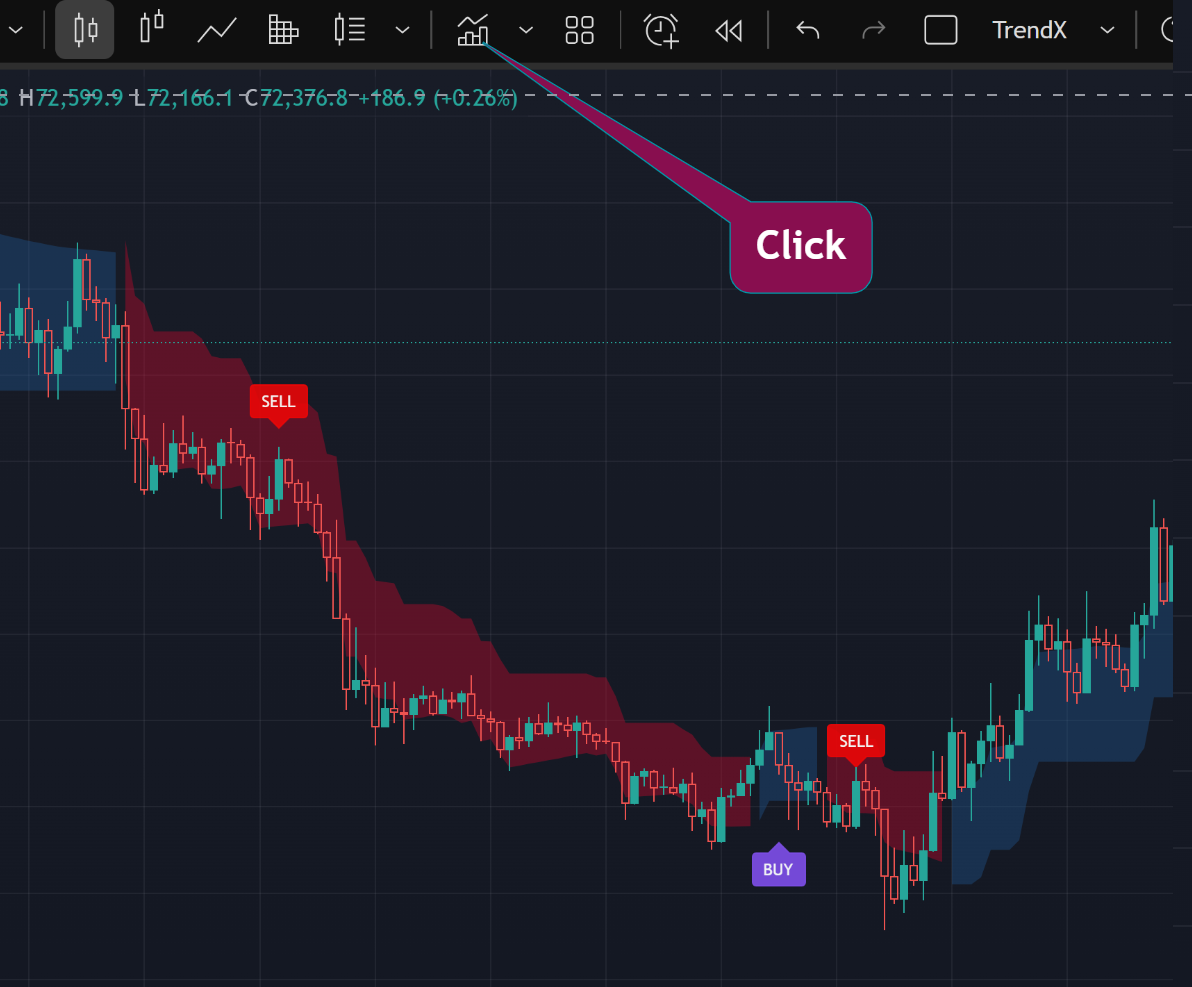
Step 1: Navigate to TradingView Chart

First, click on indicator icon.

Navigate to indicators on TradingView

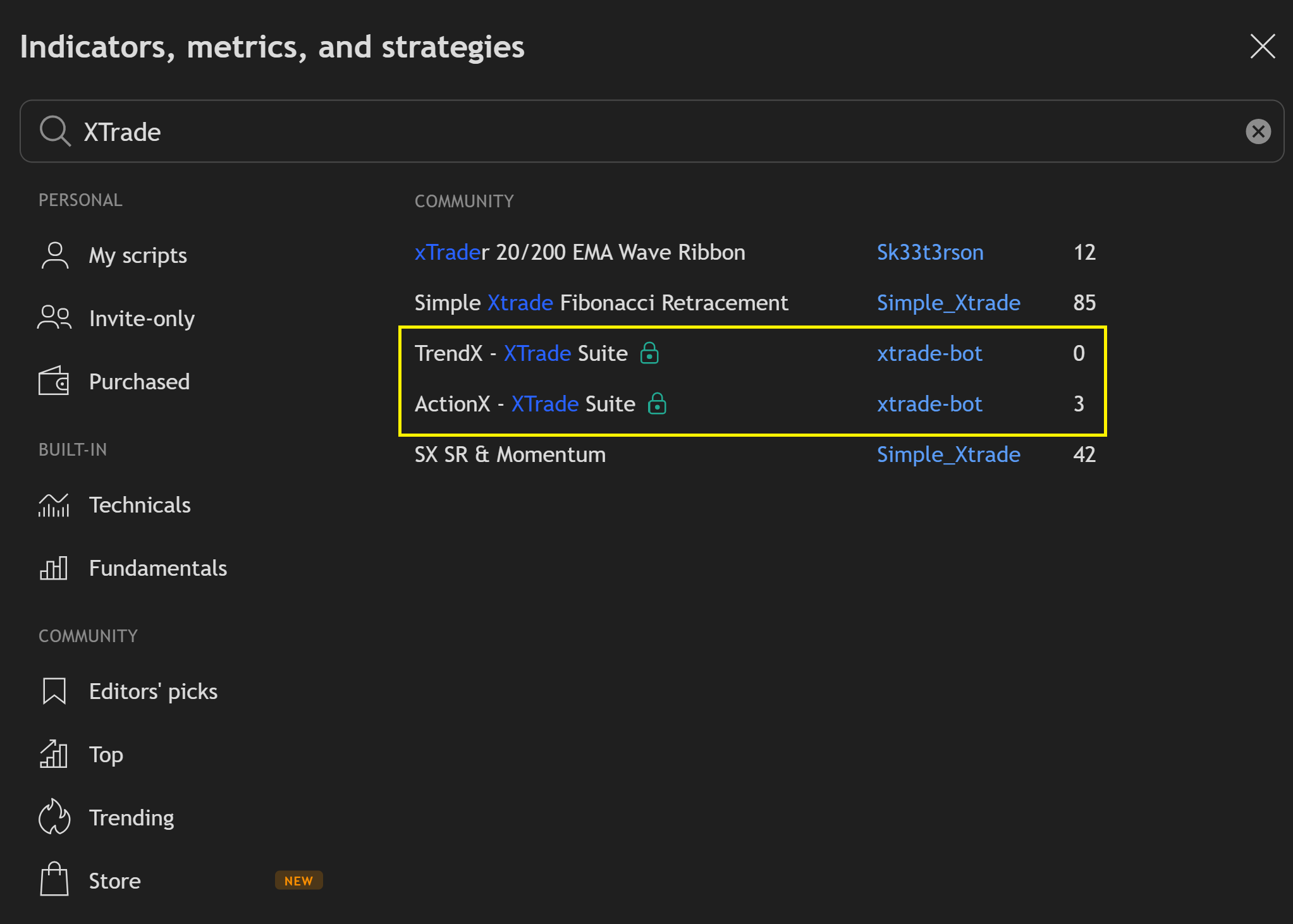
Step 2: Find XTrade indicators

Find XTrade indicators

Step 3: Select TrendX or ActionX

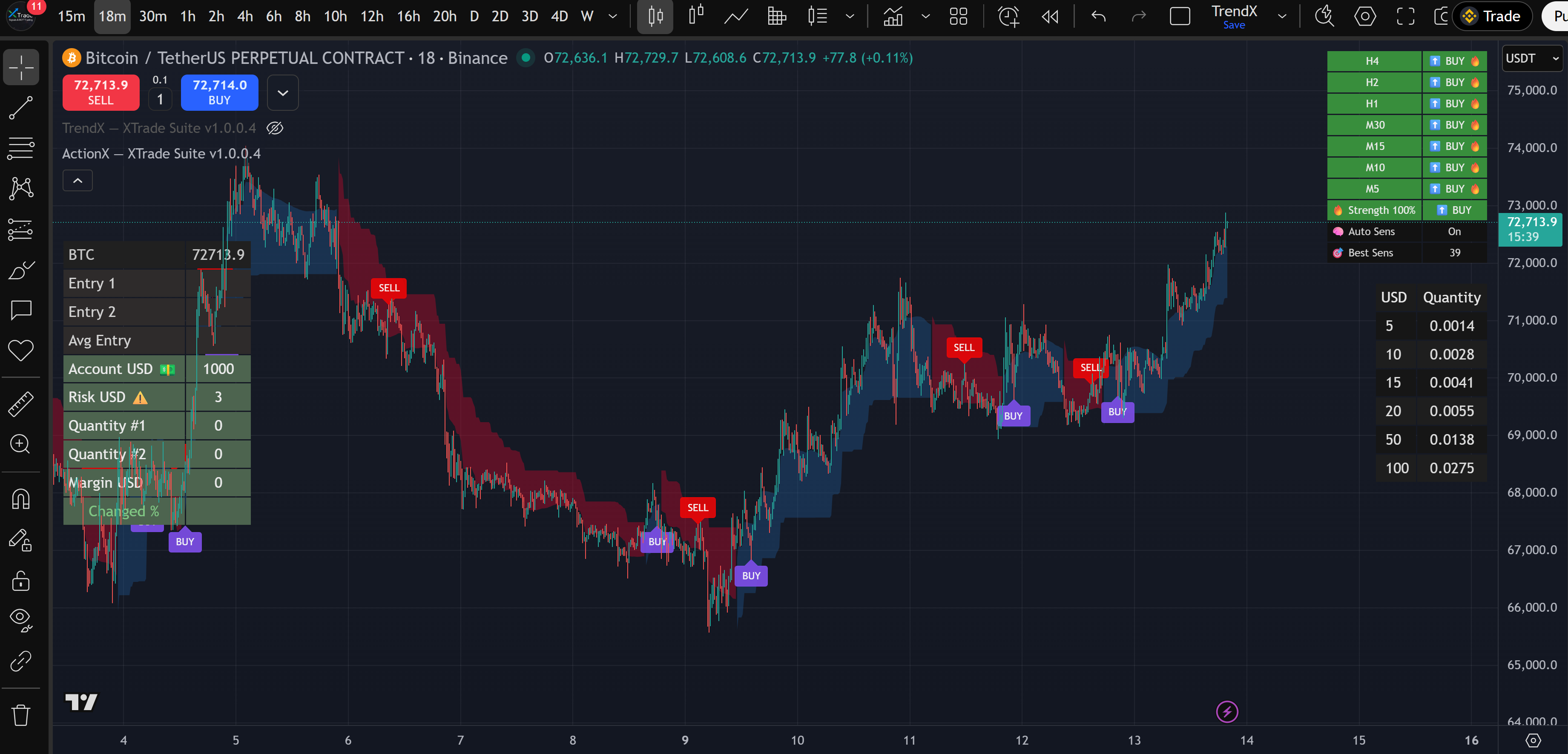
Example: below is ActionX

ActionX indicator

Get Access Now

Contact Us Now

Please feel free to contact us. We will get back to you shortly

contact@xtradesuite.com